Pi Zero USB Tentacle
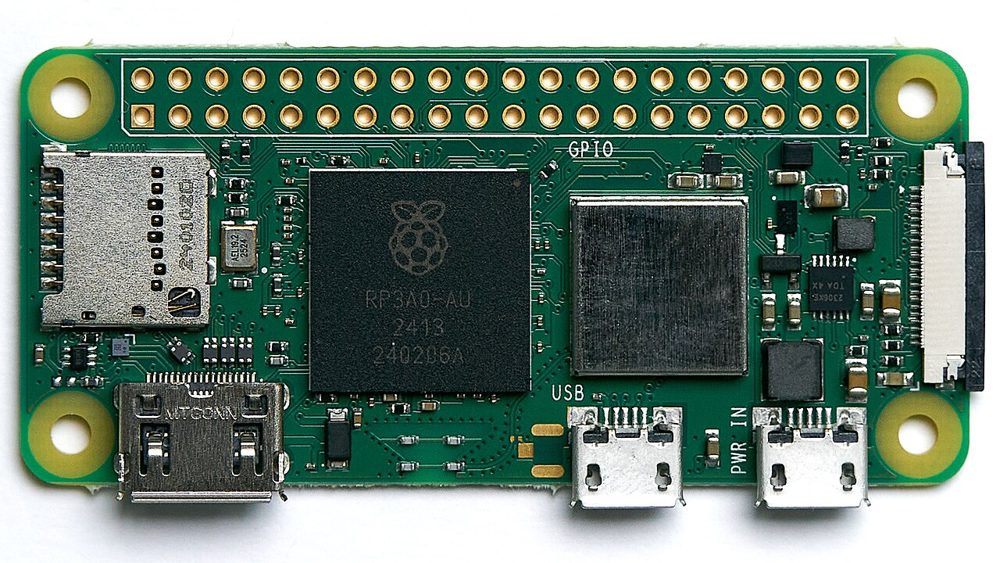
Make a Raspberry Pi Zero 2 W into a tentacle.
Flash it to a microSD card, plug the Pi into a computer's USB port, and your phone finds it over Bluetooth. Nothing to install on the computer.
Flash it to a microSD card, plug the Pi into a computer's USB port, and your phone finds it over Bluetooth. Nothing to install on the computer.
Version, size and checksum appear with the first build.
Verify the SHA-256 after downloading. Made for the Zero 2 W; other boards with USB-gadget support and Bluetooth LE may work but are untested.
Planned; the build notes will say what shipped.
Pick Use custom and select the .img.xz, no need to unpack. Any card 8 GB or larger. Skip the customisation settings.
Write, let it verify, eject the card, put it in the Pi.
The port marked USB, not PWR IN, with a micro-USB data cable. The computer powers the Pi through it.
Charge-only cables are the number one reason a tentacle does nothing.
About 30 seconds. The computer then sees a new keyboard and mouse. No driver prompt.
The tentacle appears on the Connect screen, nearest first. The app identifies it and shows whether the computer is attached before opening the controls.
Wrong port or wrong cable, almost always. Some computers' ports are too weak to power the Pi; then power it through PWR IN.
Give it 30 seconds to boot, keep Bluetooth on, stand within a few metres. A tentacle serves one phone at a time.
They should not: the tentacle releases every key if the phone goes quiet for about three seconds, and the panic button releases everything at once.